SLAM GO POST is a mobile measurement SLAM data processing and analysis software independently developed by Shenzhen Feima Robotics Co., Ltd. This software can post-process the raw data from Feima SLAM devices, produce high-precision color point clouds, high-resolution panoramic images, high-accuracy odometry and real-world 3DGS models. It is also compatible with mainstream third-party software, enabling the easy creation of Mesh models and meeting diverse measurement and modeling requirements.
AMD, INTEL, and domestic x86_64 chips. The CPU must support AVX2 instructions set.
GPU
NVIDIA 2060
NVIDIA 4060
Only NVIDIA graphics cards are supported. Other models of graphics cards may be unstable during the data processing. The CUDA driver must be version 561.17 or higher. For the 3DGS function, the minimum recommended GPU model is the NVIDIA 30 series with 8GB of video memory. It is recommended to choose the NVIDIA 5070 with 12GB or more of video memory.
Memory
16GB
64GB
Memory is recommended to be 32GB or more.
SLAM GO APP
"SLAM GO" is an application developed by Shenzhen Feima Robotics Co., Ltd. for obtaining and presenting scene point cloud models. It can be used to control the SLAM mobile measurement devices of Feima to upgrade the firmware version in the cloud, collect point cloud data and view the real-time data results.
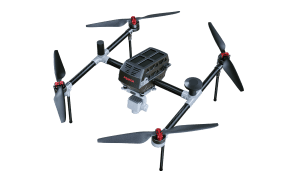
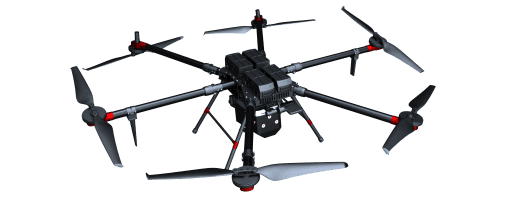
Pairing Method for Data Transmission and Image Transmission of D20 Model
Pairing Method for D20 Data Transmission:
Consists of four digits - 2500 + last four digits of the aircraft SN.
Pairing Method for D20 Image Transmission:
Consists of six digits - last six digits of the aircraft SN.
Interpretation of D20 Radio Station Indicator Lights
LED1: Data reception indicator light for the radio station. Normal data transmission alternates between red and green flashes; the light is off when not receiving or transmitting data.
LED2: Connection status indicator light for the radio station. Blue light indicates no connection; green light indicates a connected radio station.
LED3, 4, 5, 6: Battery level indicator lights for the radio station. Each light represents 25% battery level. From left to right: 25%, 50%, 75%, 100%.
Correct Installation Method for D20 Propeller Clamps
Differentiate between CW/CCW propeller clamps and install them accordingly based on the propeller blade type.
After the aircraft is assembled, the computer displays "Unable to connect to the aircraft".
Ensure that there are no antivirus software like 360 installed on the computer. For new computers or computers with freshly installed systems, reinstall the radio station driver and USB driver. After successful installation, the connection should be established.
Copying Method for Onboard Logs of D20 Aircraft
(1)After completing the flight, connect the aircraft's data cable to the computer and download directly from the SmartFly interface.
(2)Obtain the flight ID information from the SmartFly interface. Connect the aircraft to the computer via the data cable. After the FC drive pops up, navigate to the UAV-LOG, RAW, POS, and NAV folders. Enter each folder and locate the file with the corresponding flight ID. Then, place all four files into a newly created folder for use.
Copying Method for Ground Station Logs of D20 Aircraft
On the main interface of the UAVManager, locate "Project Management" in the upper right corner. Click to enter and find the flight task. Hover the mouse over the task and slide to the right to find the folder icon for opening. Click to enter, then copy and paste all data except for the POS folder into a newly created folder. Compress the folder and send it to the relevant personnel.


 Google Drive Download
 HTTP Download
 Download and Install